Sending a questionnaire
Mindchart allows you to send questionnaires to participants so they can complete outcome measures securely. Questionnaires can be sent individually or as part of a wider workflow, depending on how you use the platform.
Before you start
To send a questionnaire:
- The questionnaire must be enabled in your organisation
- The participant must already be added to Mindchart
- You must have the appropriate permissions (e.g. practitioner or administrator)
If you don’t see the options described below, check your access level or contact your organisation admin.
Step 1: Open the participant record
- Go to Participants
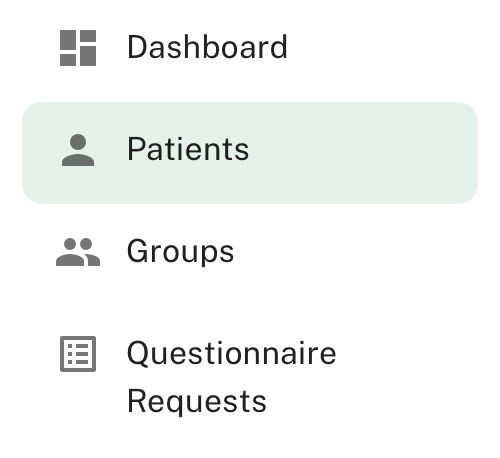
- Select the participant you want to send a questionnaire to
This opens the participant’s profile, where you can view past questionnaires, notes and activity.
Step 2: Choose the questionnaire(s)
From the participant profile:
- Select Send from the Recent Questionnaire Requests section

- Choose the questionnaire you want to send from the list of enabled measures
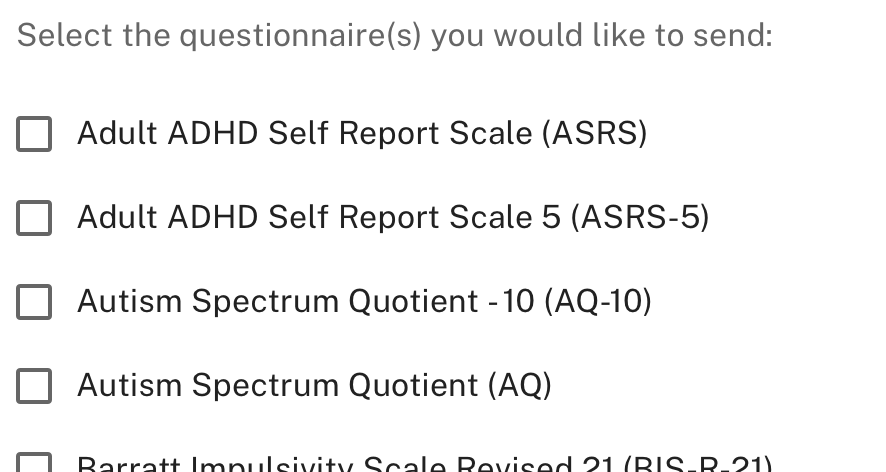
- Review the questionnaires selected before sending
Only questionnaires that are currently enabled will appear in the list.
Step 3: Sending the questionnaire
Once selected:
- Confirm the questionnaire
- Send it to the participant
The participant will receive a secure invitation (typically by email) with a link to complete the questionnaire.
Participants do not need full platform access to complete questionnaires.
What the participant experiences
When a questionnaire is sent, the participant will:
- Receive a secure link to complete the questionnaire
- Answer the questions at their own pace
- Submit their responses securely
Once completed, results are automatically linked to their participant record.
Viewing completed questionnaires
After completion, you can return to the participant profile to:
- View questionnaire scores
- See completion dates
- Track change over time
- Add notes or context alongside results
This information can also feed into dashboards and reports, depending on your setup.
Resending or following up
If a questionnaire hasn’t been completed:
- You can resend the questionnaire
- You may be able to send reminders, depending on your configuration
This helps reduce missed data while keeping the process simple for participants.
Good practice tips
- Avoid sending too many questionnaires at once
- Be consistent about when questionnaires are sent (e.g. baseline, review points)
- Explain to participants why the questionnaire is being used and how the data helps
Clear purpose improves completion rates and data quality.
Need help?
If you’re unsure which questionnaire to send or when to send it, the Mindchart team can help you design a simple, effective measurement workflow for your setting.